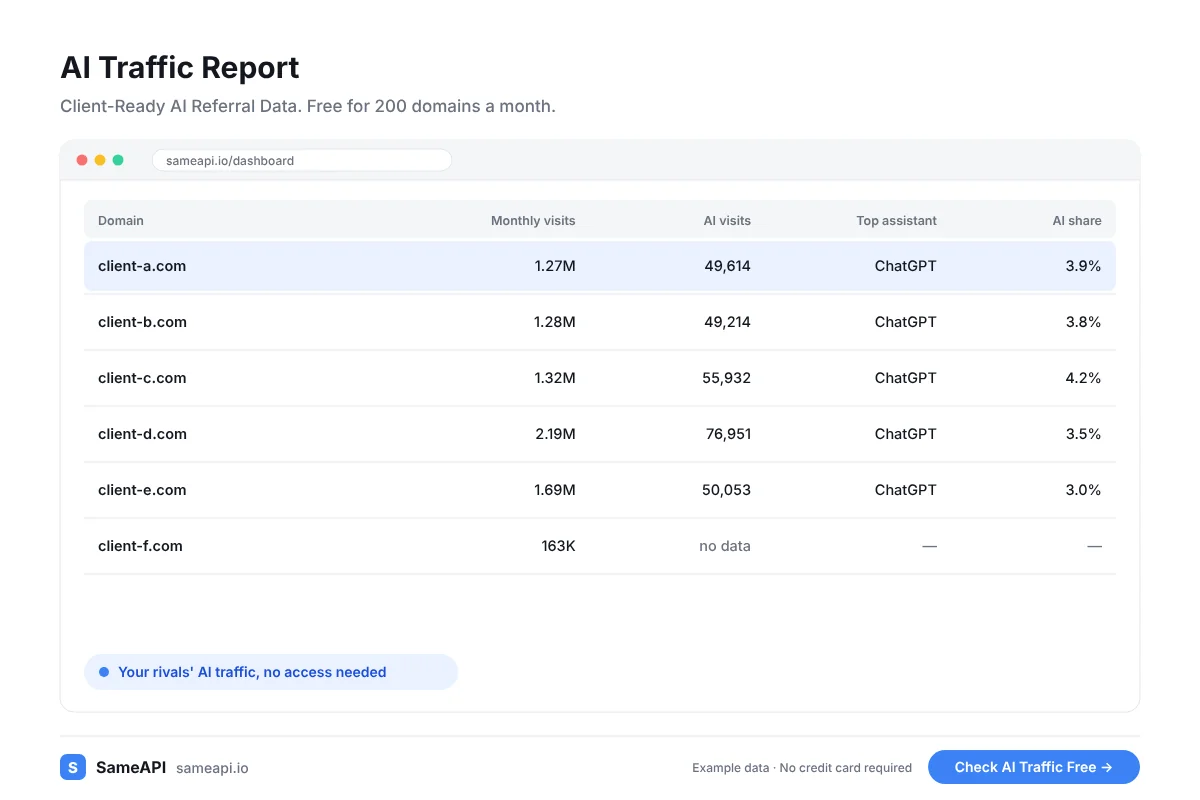
AI Traffic Report
An AI traffic report shows how many visitors AI assistants send to a website each month. SameAPI builds the data for one domain or a full client list in one check.
Export it to CSV or Excel and drop it into the report you already send.
No credit card required.
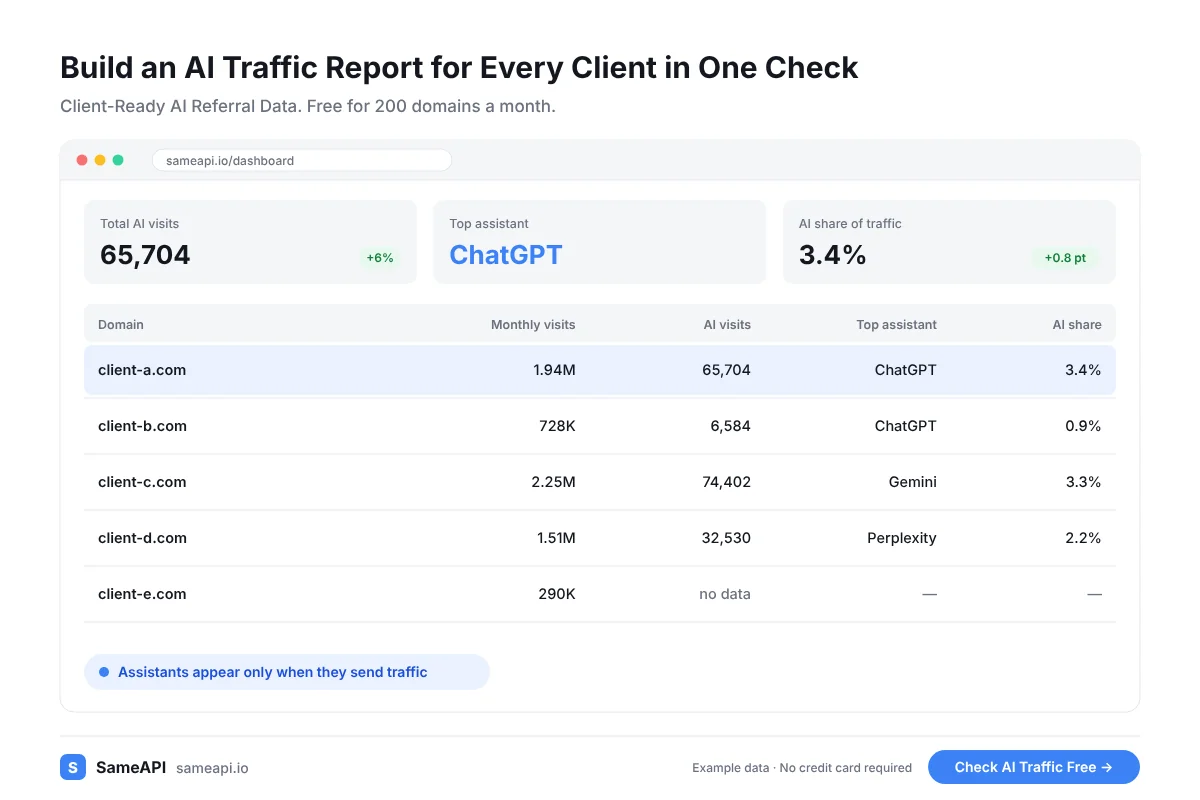
Build an AI Traffic Report for Every Client in One Check
Paste every client domain, plus the competitors each client cares about. One check returns all of them.
You get the same columns for every domain, so comparisons need no cleanup.
- Estimated AI visits, with the assistants that send them
- Total monthly visits for three months
- Traffic split across six classic sources
- Global and country rank
- Top countries by share of visits
Answer the ChatGPT Question Before the Client Asks
Clients read about AI search and ask how much of it reaches them. An agency without a number looks behind.
Bring the figure to the meeting: ChatGPT, Perplexity and the rest, per domain and per month. Show the share of AI visits against total traffic so the client sees the scale.
A visit from an assistant means its answer linked to the client's site and a person clicked.
Clients rarely ask for more data. They ask what changed and what to do next.
Two numbers for AI visits, this month and last month, answer both questions. Add one line of advice and the report is done.
Client reporting gets easier with one month over month AI line per client. Paste it into Looker Studio or the deck you already send.
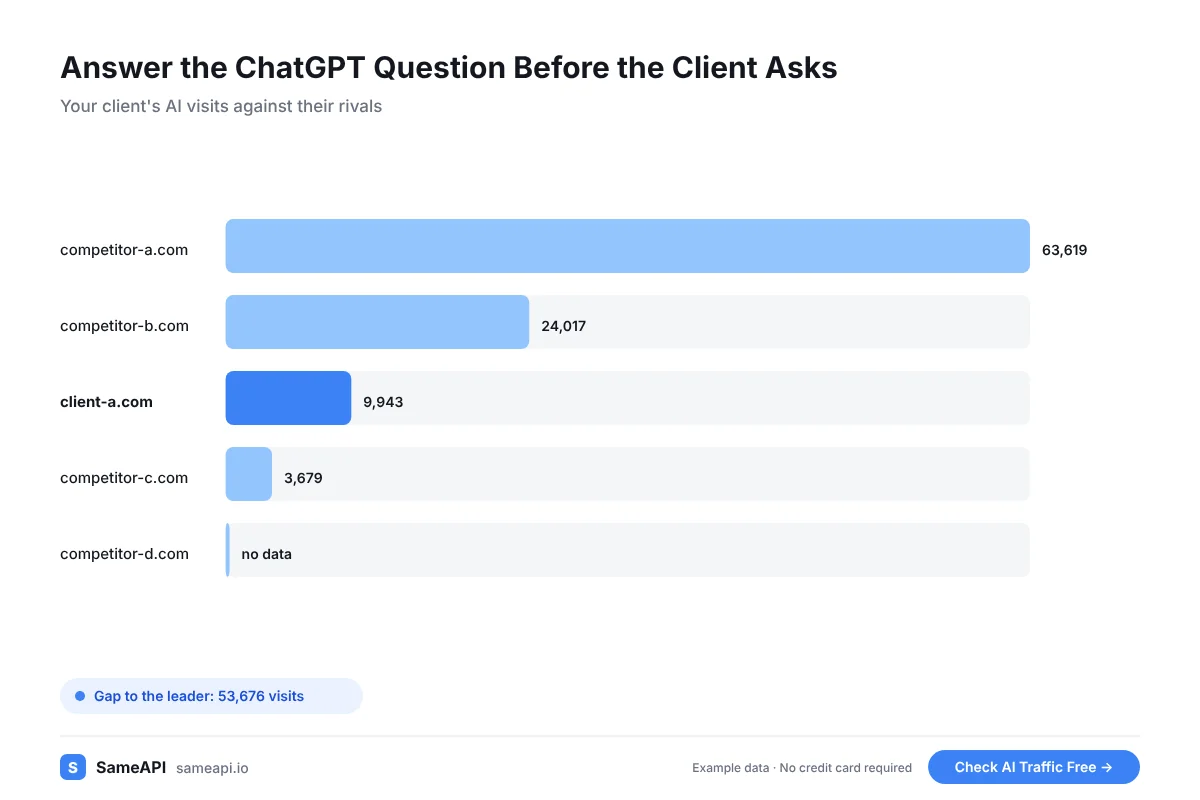
Add an AI Line to Your Retainer
A monthly AI traffic line is a service you can price and renew. It costs you minutes per client once the domain list is saved.
Each check covers three months. Run the client list monthly and keep the exports for the quarterly review.
Put competitors in the same report. A client who sees a rival pulling more Perplexity visits has a reason to fund the next project.
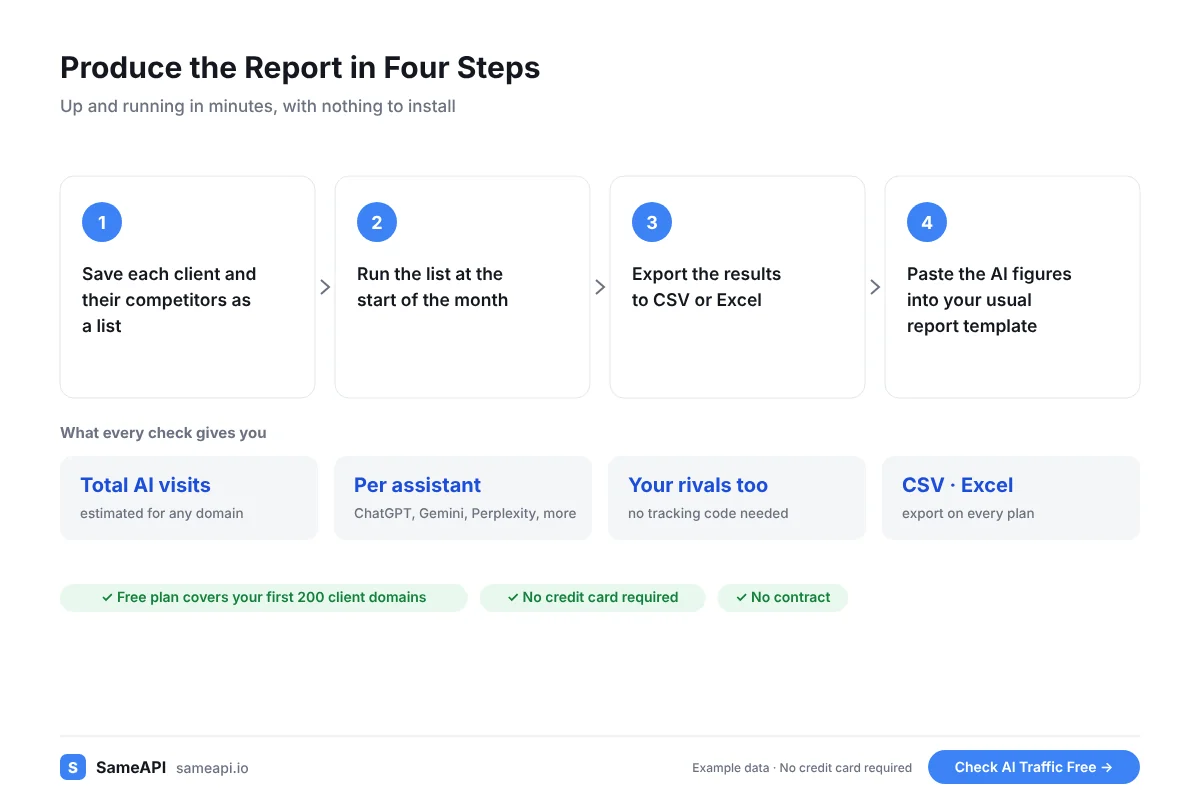
Produce the Report in Four Steps
Account managers can run it without help from a developer.
- Save each client and their competitors as a list
- Run the list at the start of the month
- Export the results to CSV or Excel
- Paste the AI figures into your usual report template
- Add a short note on what changed since last month
Your first report can go out today. Start with your three largest clients and add the rest once the format works.
The whole routine takes less time than a client call. Larger agencies can automate it later through the API on paid plans.
What the Report Contains and What Stays Yours
SameAPI supplies the numbers as data files. Your template, your logo and your commentary stay yours.
It does not count brand mentions inside AI answers. It counts the visits those answers send, the figure clients can tie to revenue.
The free plan covers 200 domains a month. Pro covers 10,000 for $20 a month with no contract.
- Account managers who own client reporting and the QBR deck
Run Your First AI Traffic Report
Paste your client list and get the AI numbers for this month. The free plan is enough to test it on your top clients.
No credit card required.
Last updated: