ChatGPT Traffic Checker
A ChatGPT traffic checker tells you how many people reach a website from a link inside a ChatGPT answer. SameAPI estimates those visits for any domain, yours or a competitor's.
It works without code on the site and without access to anyone's analytics.
No credit card required.
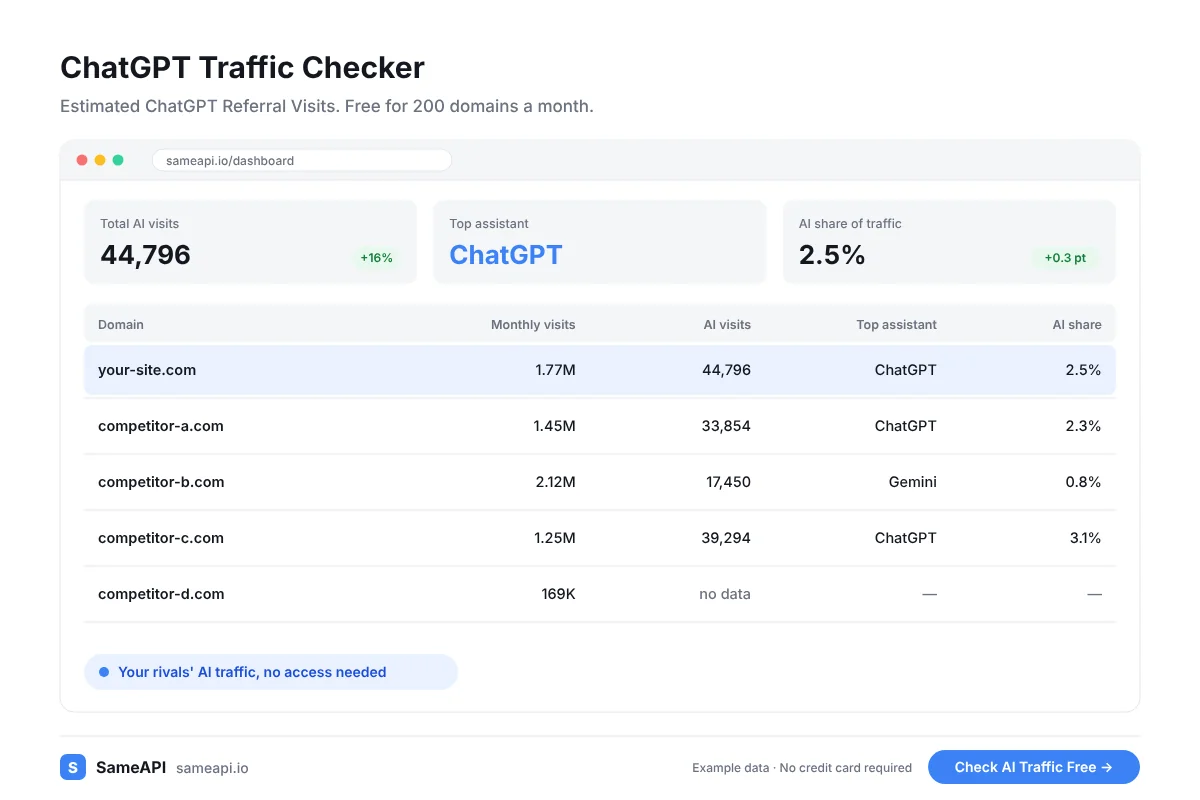
Measure ChatGPT Referral Traffic Without Analytics Access
Google Analytics shows ChatGPT referrals for your own site only. SameAPI estimates ChatGPT referral traffic for any domain on the web.
Track ChatGPT referrals for your site and every competitor in one table.
ChatGPT appears in the results whenever it sends traffic to the domain. Next to it you see total AI visits.
- Estimated visits from chatgpt.com in the latest month
- ChatGPT next to the other leading assistants
- Total AI traffic and total monthly visits
- Three months of estimated visits per domain
- Traffic sources and rank for context
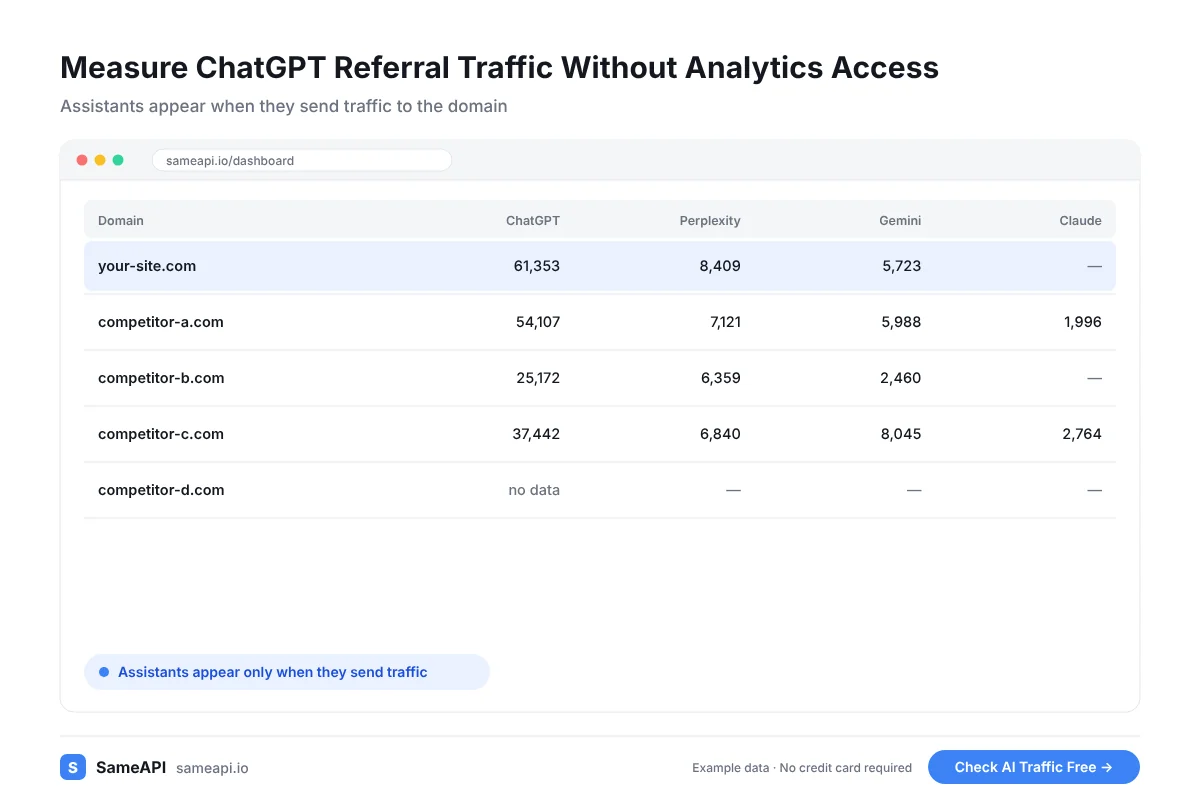
Find Out If ChatGPT Sends Buyers to a Competitor
A visit from ChatGPT means the answer linked to that site and someone chose to click.
When a rival gets those clicks and you get none, the ChatGPT column makes it plain. Check that column before you plan next month's content.
Compare the rival's source mix with yours. A site with strong ChatGPT traffic and weak search traffic is winning in a channel you may not watch yet.
Then open that rival's site and look at what ChatGPT would link to. Buying guides, comparison pages and clear pricing pages are common starting points.
You now have a short list of pages to write or improve. It rests on a measured gap instead of a guess.
Many ChatGPT links carry utm_source=chatgpt.com, so GA4 shows them for your own site. SameAPI shows the same LLM channel for your rivals.
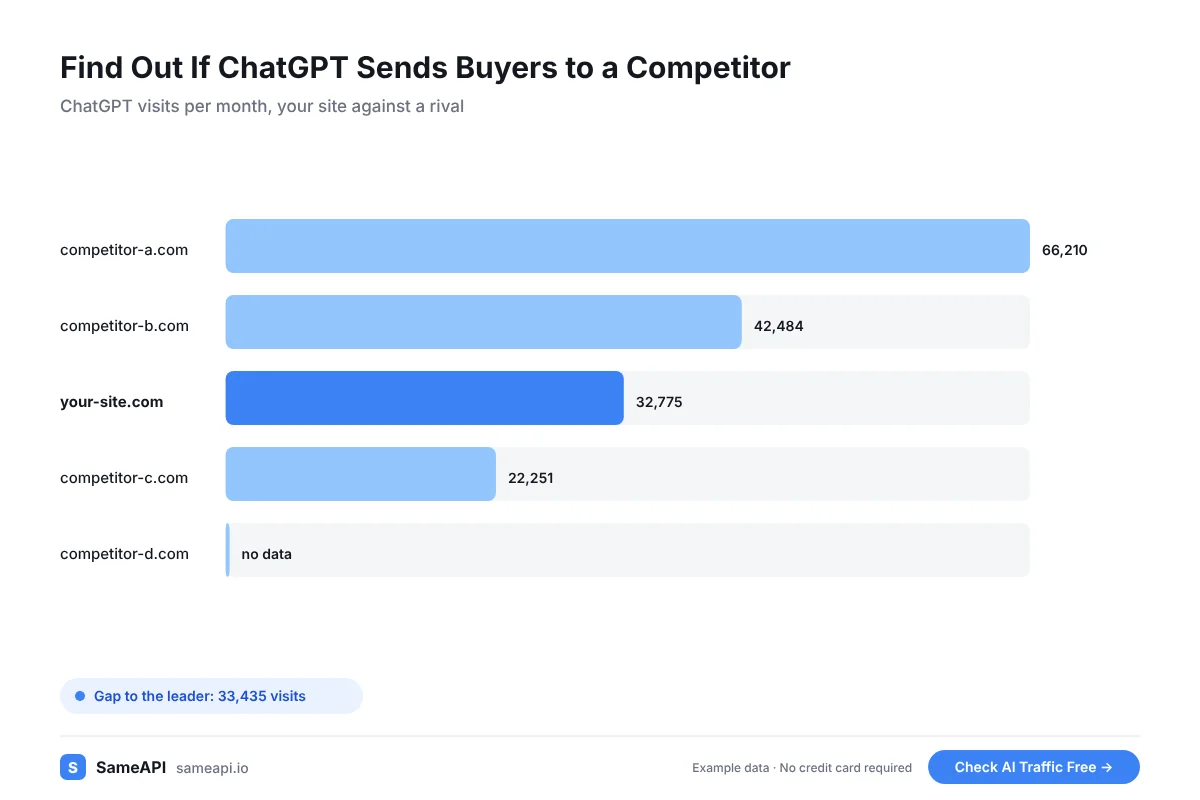
Plan AI Content on a Measured Baseline
A content plan for AI search needs a starting number. The ChatGPT estimate for your domain is that number.
Each check returns three months of data. Re-check the same domains every month and your exports build a longer record.
Share the export with your team or your boss. Everyone sees the same figure and the same competitors.
A small number is still useful. If ChatGPT sends 300 visits a month today, you know exactly what growth looks like next quarter.
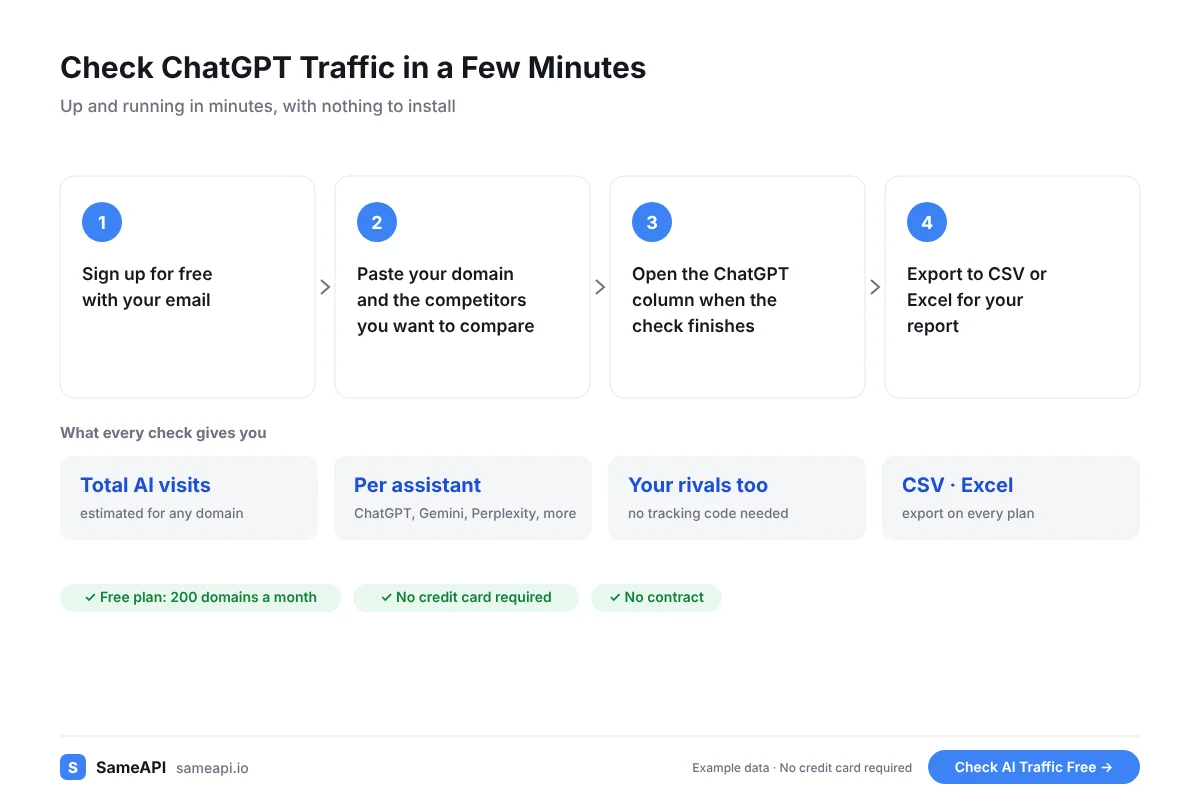
Check ChatGPT Traffic in a Few Minutes
You do not need a developer or a data analyst. The whole check runs in the dashboard.
- Sign up for free with your email
- Paste your domain and the competitors you want to compare
- Open the ChatGPT column when the check finishes
- Export to CSV or Excel for your report
Repeat it next month by pasting the same list. Teams that prefer code can use the API on paid plans.
Who Checks ChatGPT Traffic
- Ecommerce managers who want to know if ChatGPT sends shoppers to their store
- SaaS founders comparing ChatGPT visits with the tools they compete against
- SEO agencies reporting ChatGPT referrals for each client
- Publishers comparing their AI referrals with rival sites
- SEO leads who already see chatgpt.com referrals in GA4
The free plan includes 200 checks a month. Paid plans start at $20 a month with no contract.
See What ChatGPT Sends to Your Site
Add your domain and two competitors. The first numbers are ready in minutes.
No credit card required.
Last updated: