Competitor Monitoring Tool
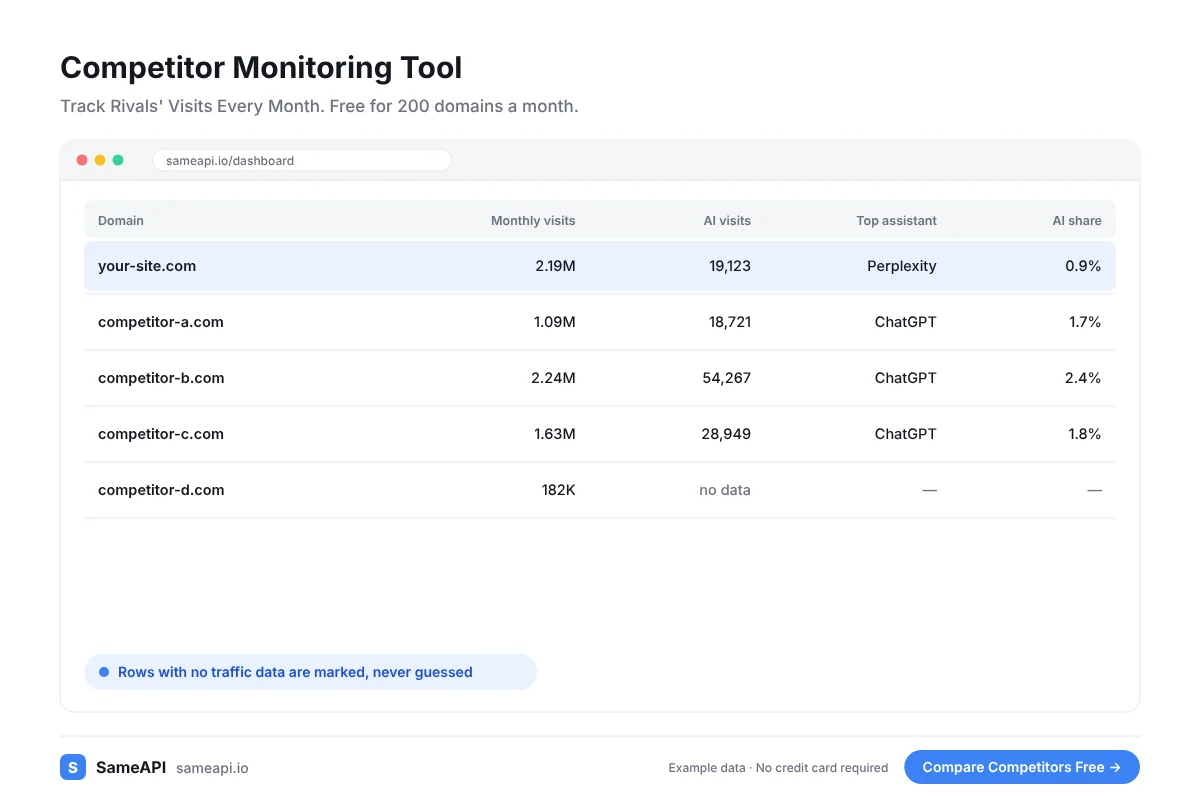
A competitor monitoring tool tells you when a rival starts to grow, shifts channels or fades. SameAPI tracks visits, sources and AI traffic for every competitor you save.
Among competitor monitoring tools, it is one of the simplest: keep one list, run it again each month.
No credit card required.
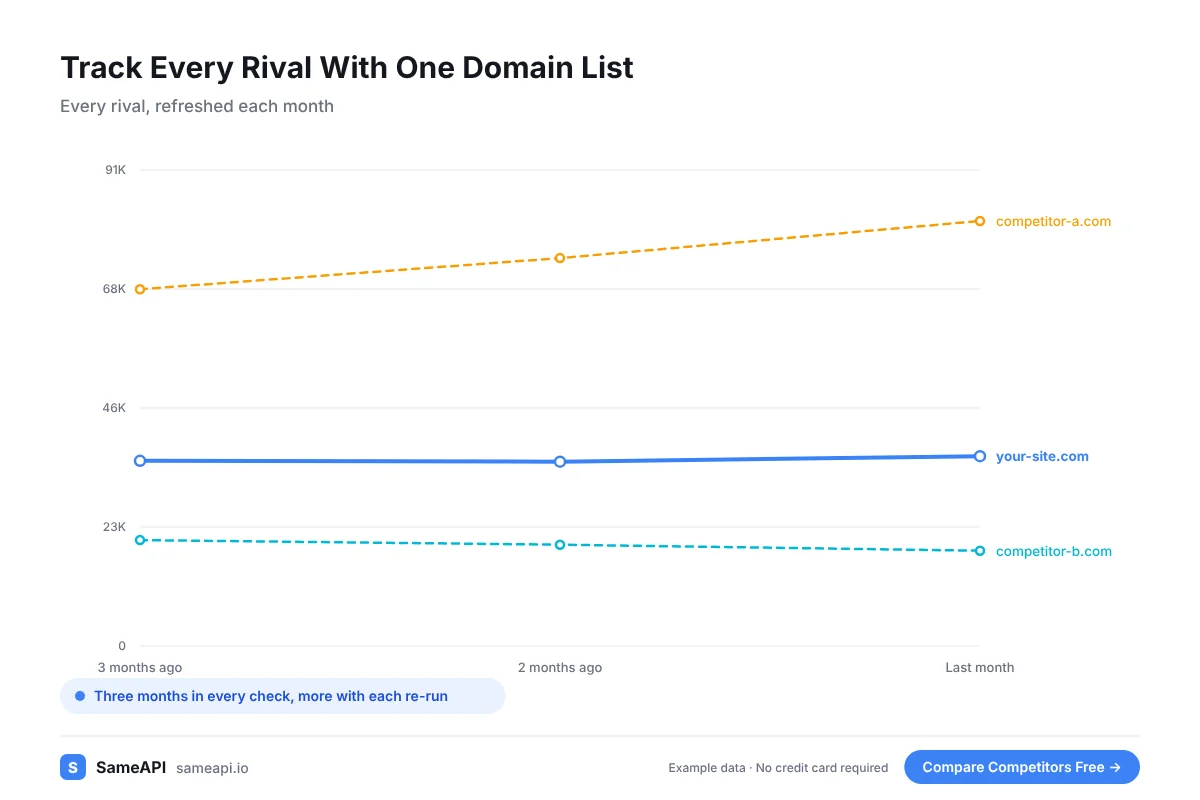
Track Every Rival With One Domain List
Add your competitors once. Each run fills the same columns for every rival, so month-to-month changes stand out.
- Estimated monthly visits for the last three months
- Search, direct, social, referral, paid and email share
- AI visits, with the assistants that send them
- Top countries by share of visits
- Global, country and category rank
New competitor? Add them to the list and the next run includes them.
Remove a rival that left the market just as easily. The list stays clean without any spreadsheet work.
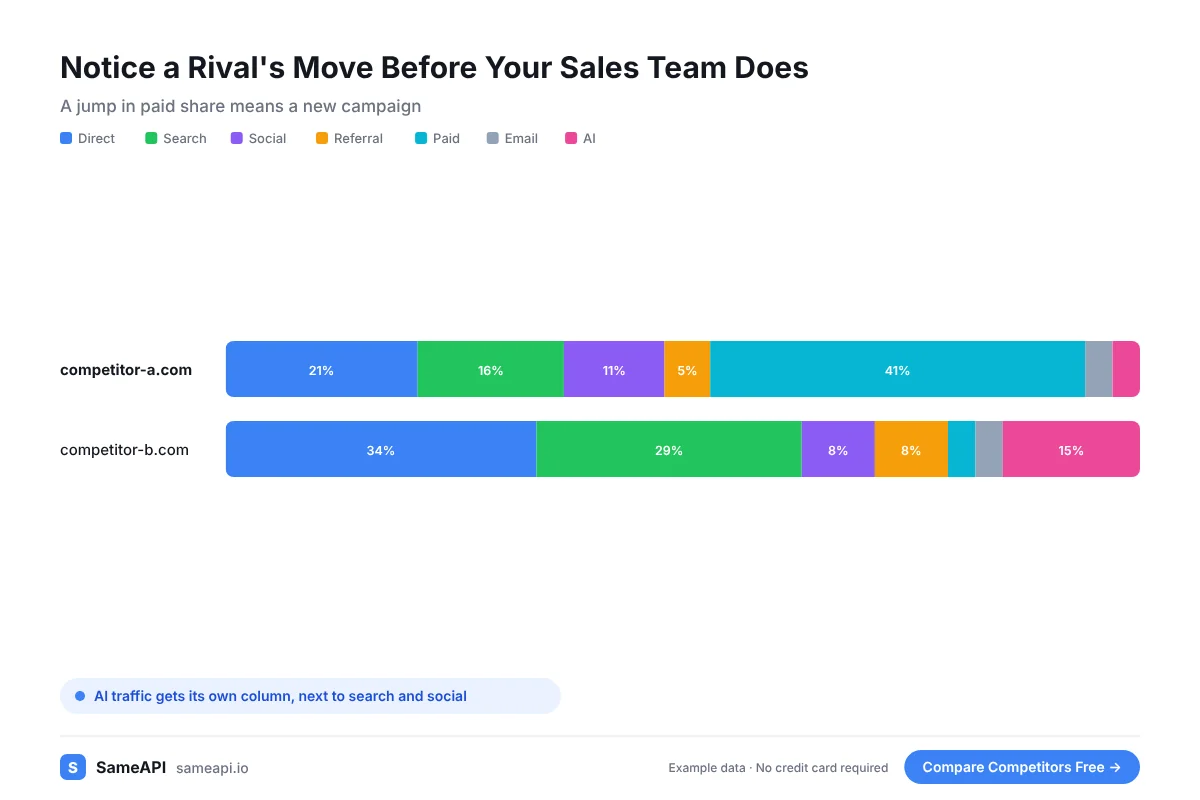
Notice a Rival's Move Before Your Sales Team Does
Your sales team often hears about a competitor's campaign from lost deals. By then the campaign has been running for months.
A monthly run shows the change earlier. A jump in paid share means a new ad push.
A rise in AI visits means content that assistants started to link to. Look at what they published in the weeks before.
A drop in a rival's traffic can be an opening. Their customers may be looking for an option.
That is a good moment for a comparison page or a targeted campaign.
Keep the Whole Team on the Same Numbers
Competitor tracking tools only help if people read the results. Export each run to CSV or Excel and share it before the monthly review.
Founders, marketers and sales leaders all see the same table. Discussions start from facts instead of anecdotes.
Keep the exports in one folder. After a year you hold a full record of how your market moved.
That record helps when you plan the next year. You see which rivals grew steadily and which ones had a single lucky month.
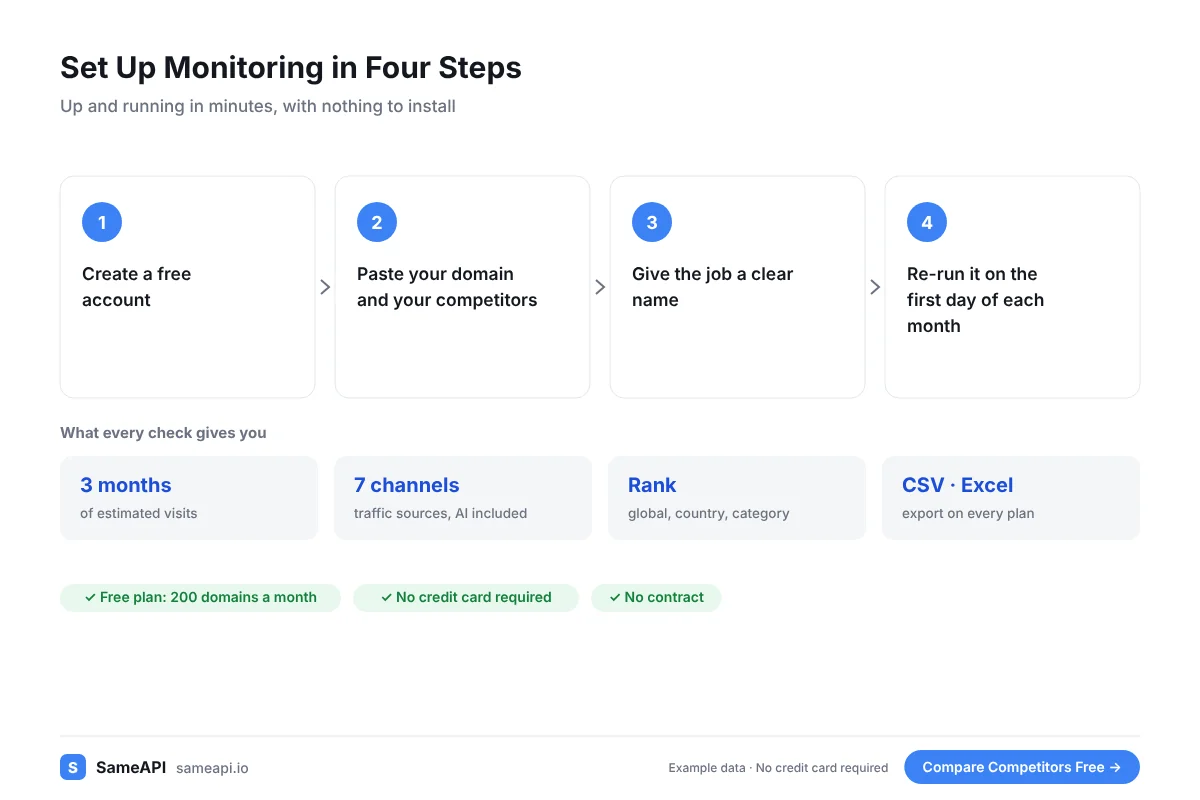
Set Up Monitoring in Four Steps
No technical skills are needed. Setup takes a few minutes.
- Create a free account
- Paste your domain and your competitors
- Give the job a clear name
- Re-run it on the first day of each month
SameAPI does not send automatic alerts. A monthly run on a set date gives you a clear rhythm and costs only a few checks.
Teams that want to schedule the run in code can use the API on paid plans.
Built for Teams That Watch Their Market
- Founders who want early signs of a rival's growth
- Product marketers tracking competitors in each segment
- Agencies monitoring markets for each client
- Investors following companies in a portfolio
- Sales leaders preparing for competitive deals
The free plan covers 200 domains a month. A list of 20 rivals uses only 20 checks per run.
Paid plans start at $20 a month with no contract.
Start Monitoring Your Competitors
Save your rivals today and run the first check in minutes.
No credit card required.
Last updated: