Shopify Store Traffic Checker
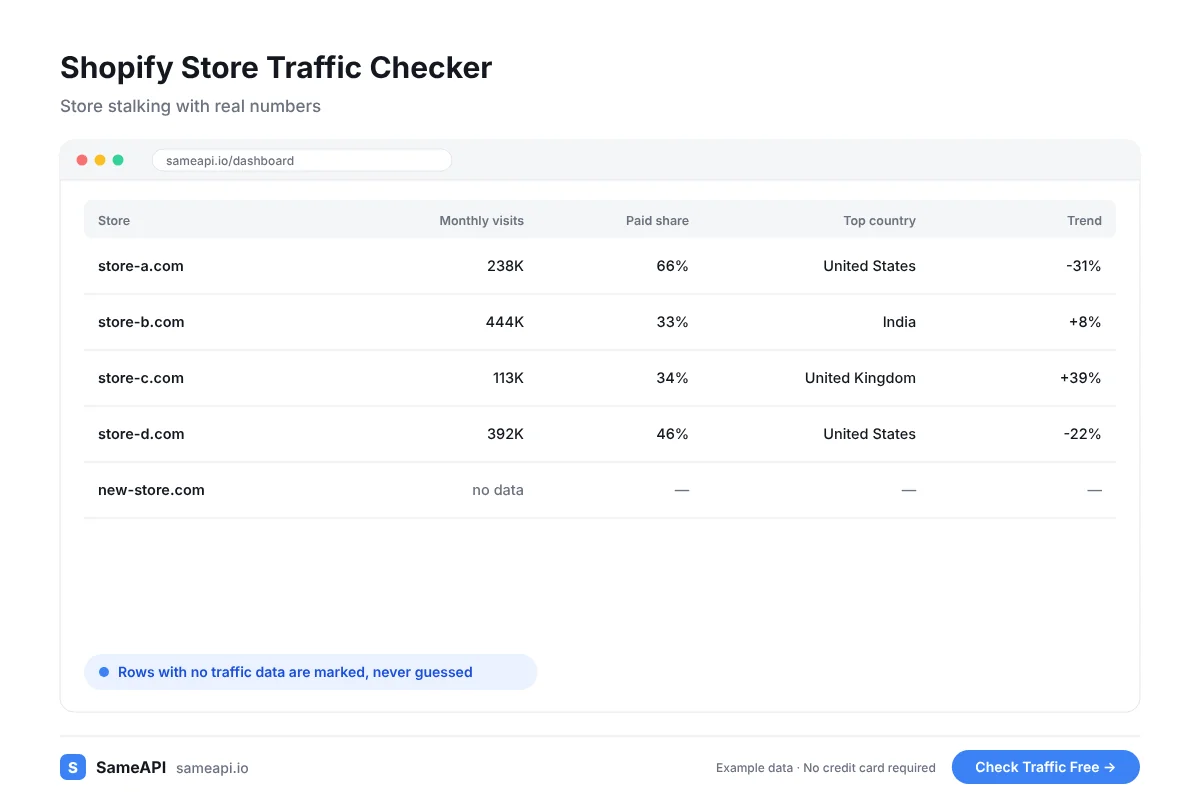
A Shopify store traffic checker shows how many visitors a competing store gets and where they come from. SameAPI estimates visits, sources, countries and AI referrals for any store domain.
Check a store before you copy its product, test its niche or pick a supplier.
No credit card required.
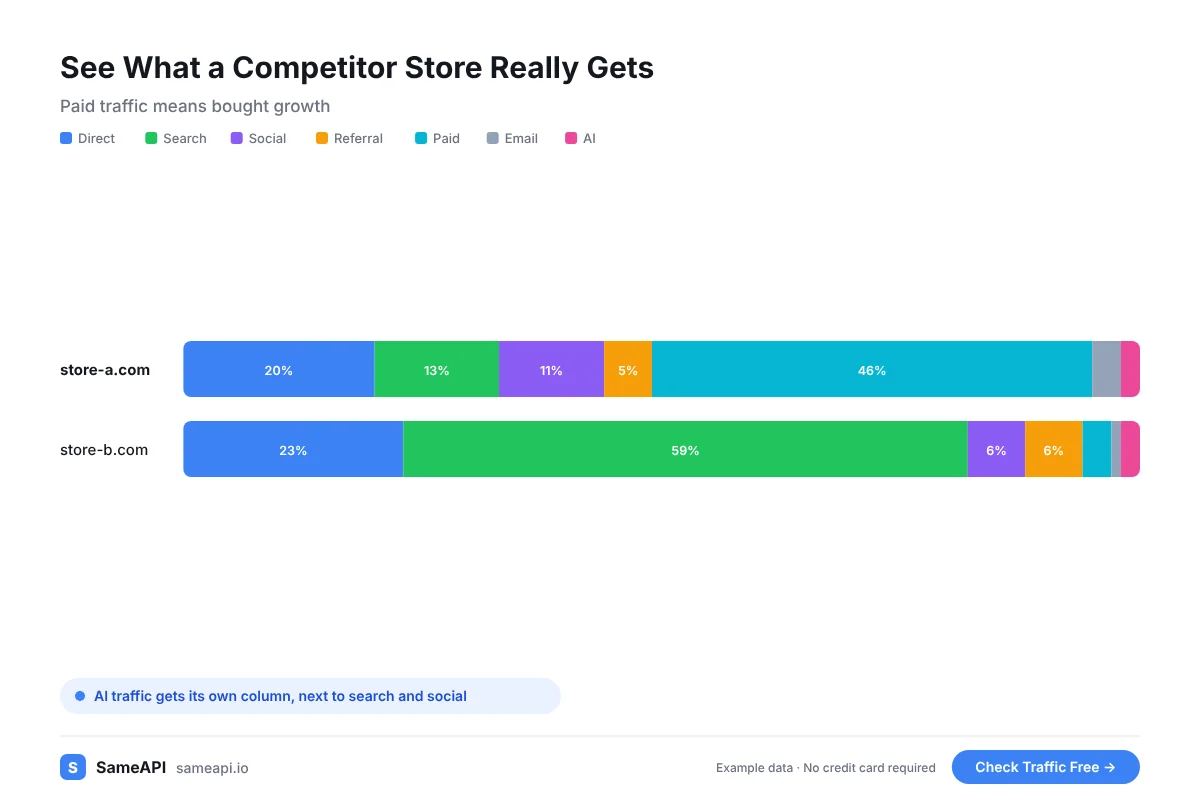
See What a Competitor Store Really Gets
A store can look busy on social media and sell very little. Traffic is a better first signal than likes.
SameAPI works with any store domain, on Shopify or any other platform.
- Estimated monthly visits for the last three months
- Paid share, a sign of how much the store spends on ads
- Social and search share
- Top countries by share of visitors
- AI referrals: total visits and the assistants sending them
A store with high paid share is buying its traffic. A store with strong search and AI traffic gets visitors for free.
Both tell you something. The first shows a product that sells well enough to fund ads.
The second shows a store that customers find on their own.
Test a Niche Before You Spend on Ads
Dropshippers often learn a product failed after the ad budget is gone.
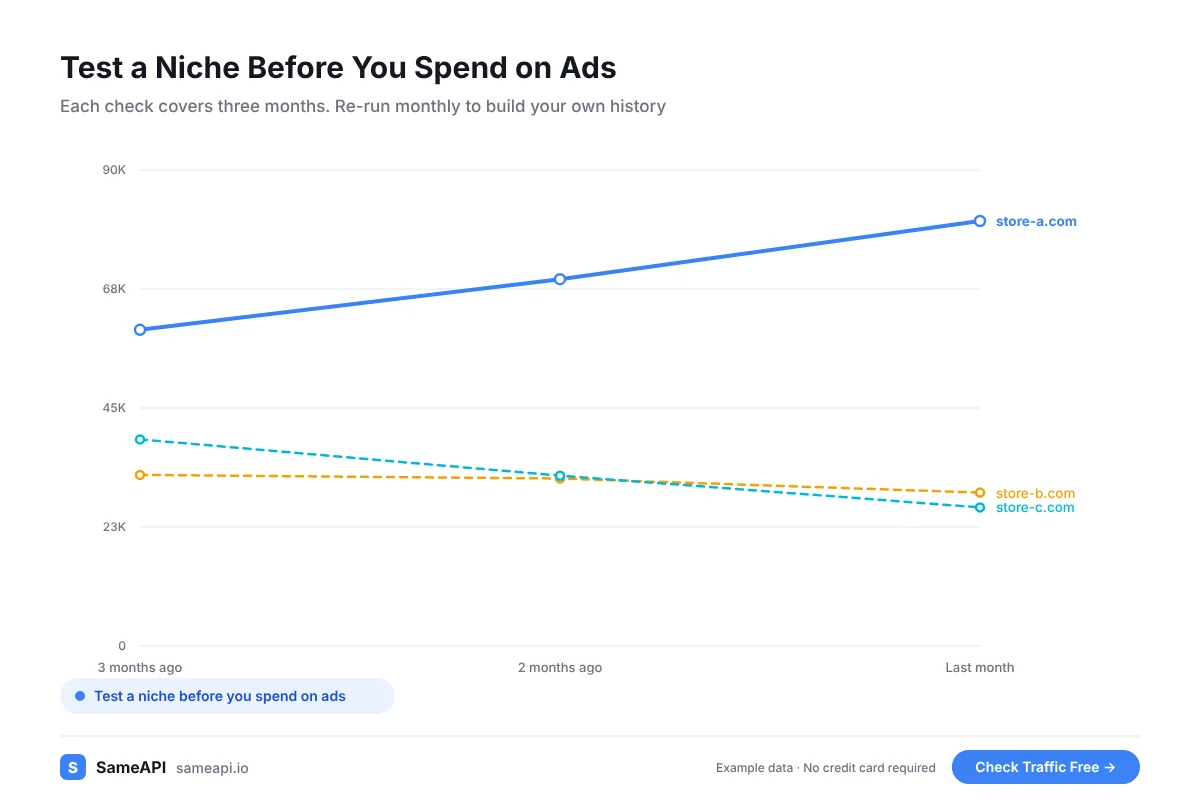
Check the top stores in a niche first. If the leaders get little traffic, the niche is small.
If they get most of it from paid ads, expect high ad costs to compete.
A niche with stores growing over three months is a better bet than one where every store is flat.
Store stalking is part of every product research routine. Traffic data tells you if a winning product is still winning or burning ad spend.
Find the Countries Where a Product Sells
The top countries column shows where each store's buyers come from. A product that sells in Germany may not sell in the United States.
Use it to pick your target market, your shipping zones and your ad targeting.
It helps you choose a supplier warehouse close to where the buyers are.
Re-check the same stores each month. Each check covers three months.
Monthly exports show which stores keep growing and which ones fade after a viral month.
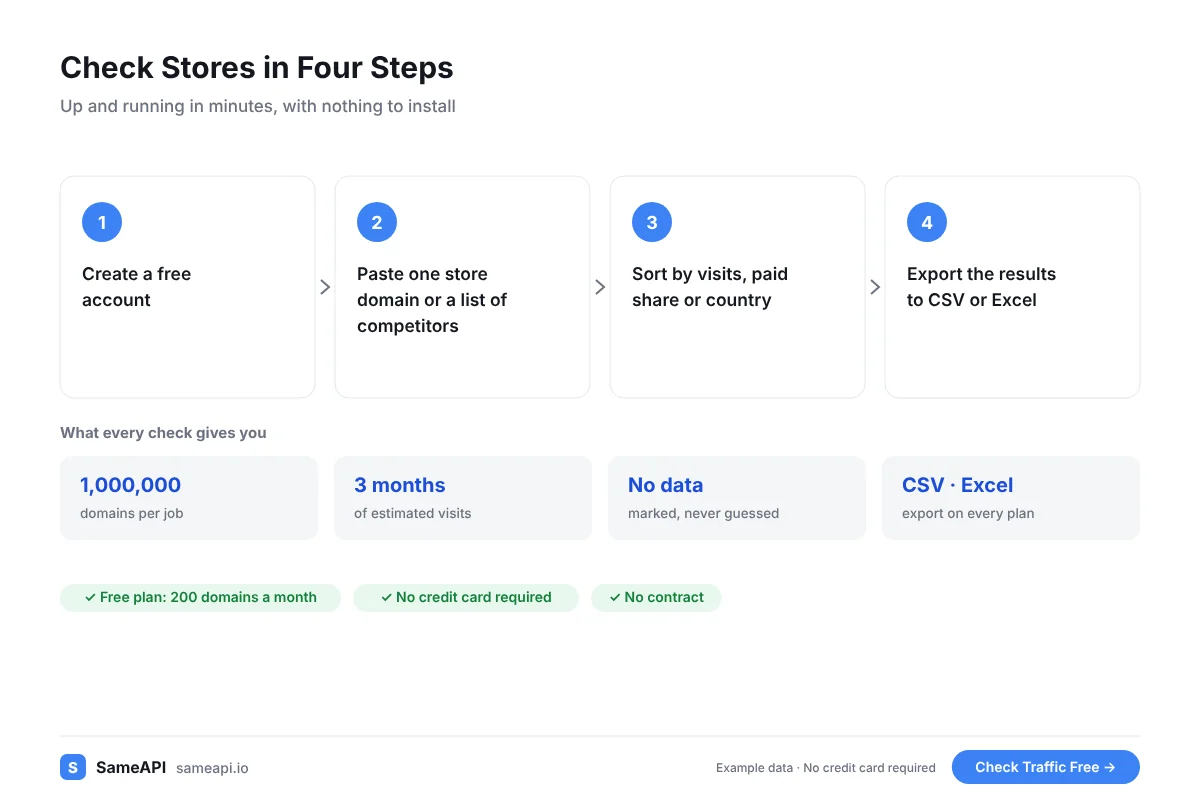
Check Stores in Four Steps
You can run the check from your browser in a few minutes.
- Create a free account
- Paste one store domain or a list of competitors
- Sort by visits, paid share or country
- Export the results to CSV or Excel
Very small or brand-new stores may not have enough traffic for an estimate. The result says so.
Focus on the stores that do. They show you what already works in the niche.
Built for Dropshippers and DTC Brands
- Dropshippers testing products and niches
- DTC brands watching direct competitors
- Ecommerce agencies auditing a client's market
- Investors checking a store before they buy it
- Dropshippers hunting winning products and checking rivals' ROAS signals
The free plan covers 200 stores a month. Paid plans start at $20 a month with no contract.
That is less than one day of a typical ad test.
Check Your Competitors' Stores Today
Paste the stores you watch and see which ones get real visitors. Test your next niche on data before you spend on ads.
No credit card required.
Last updated: