Add Website Traffic to HubSpot
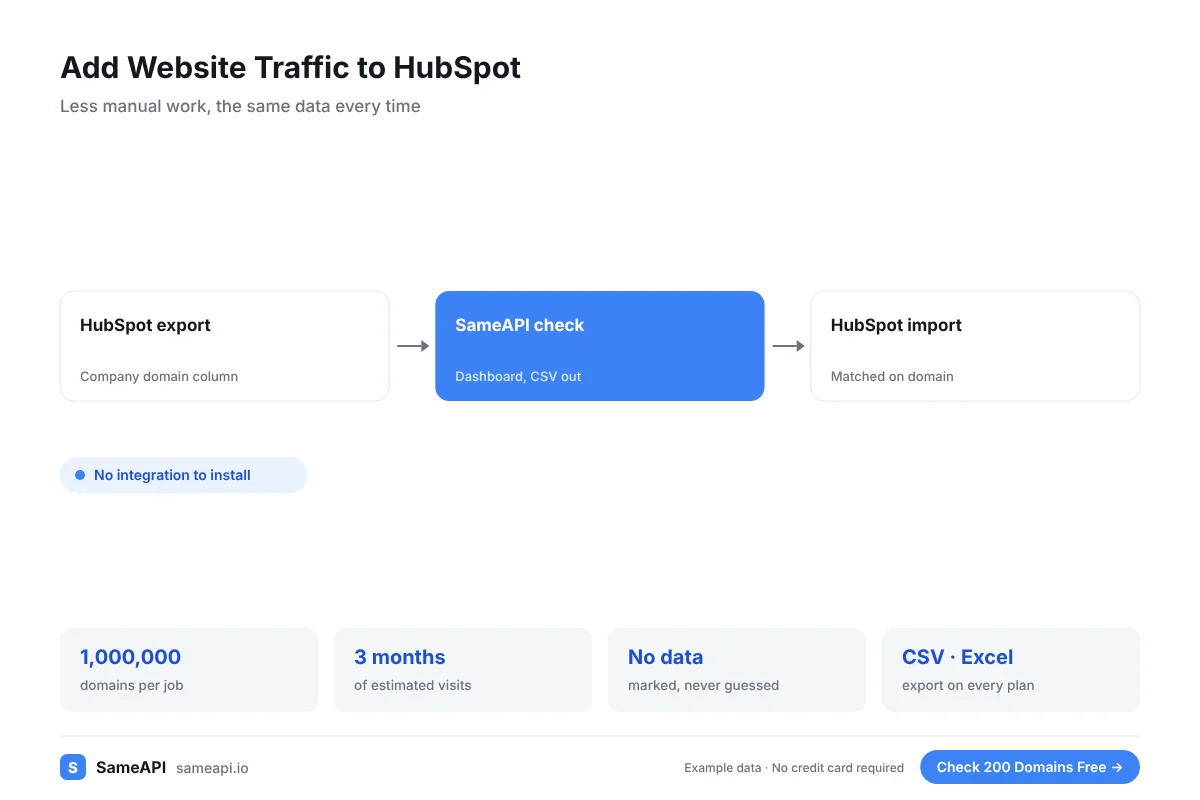
Add website traffic to HubSpot so every company record shows how big and active the company's website is. SameAPI checks your company domains and gives you a CSV ready for HubSpot's company import.
There is no integration to install and no developer needed.
No credit card required.
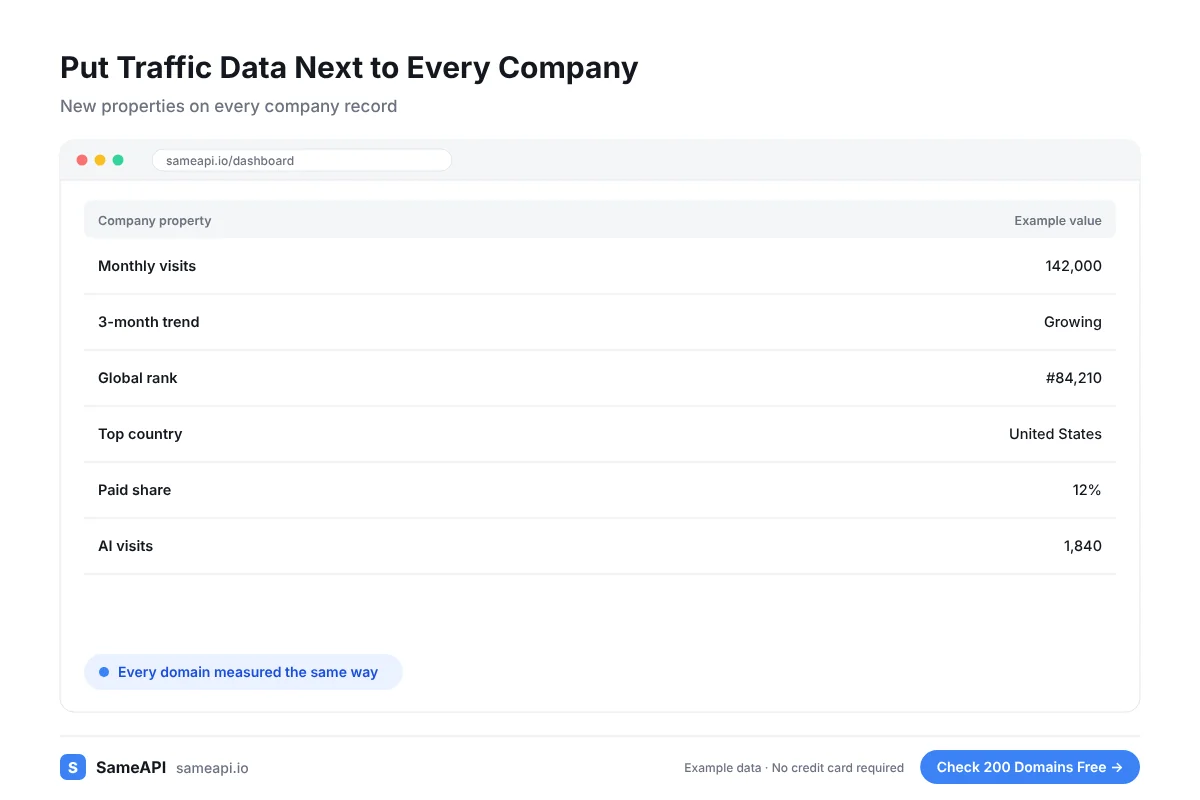
Put Traffic Data Next to Every Company
HubSpot company records hold the name, industry and size you entered. Website traffic adds a fresh signal about reach and activity.
- Estimated monthly visits
- Three-month trend
- Global and country rank
- Top country by share of visits
- Search, paid and social share
- Total AI visits
Use the new properties in lists, views and lead scoring. Reps see the numbers on the record they already open.
Marketing can use them too. A campaign for large accounts can target companies above a traffic threshold.
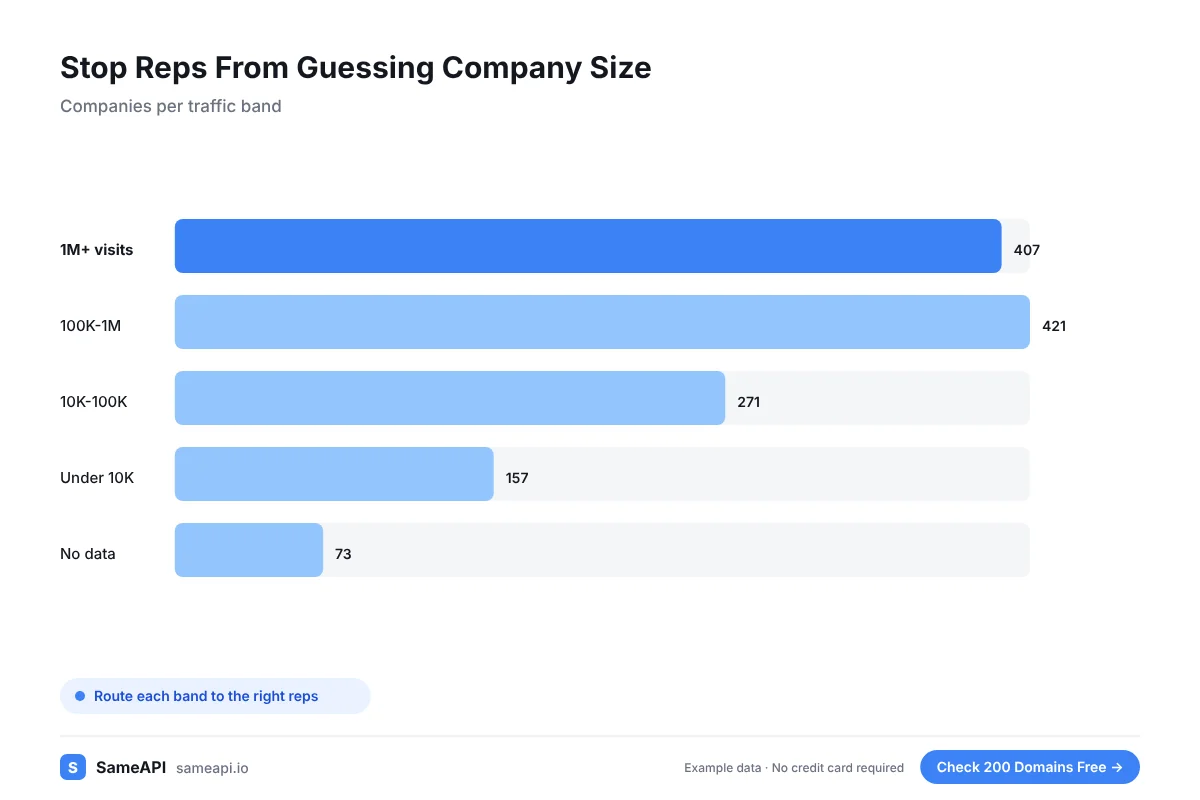
Stop Reps From Guessing Company Size
Reps often judge an account by its website at a glance. That guess is often wrong.
A visits property on every company gives the whole team the same reference. Segment accounts into traffic bands and route them to the right reps.
Accounts with no measurable traffic are worth a closer look before anyone spends time on them.
Some may be closed or acquired. Others may sell offline and need a different pitch.
Keep the Data Fresh Each Month
Website traffic changes. A one-time import gets stale.
Export your company domains from HubSpot once a month, run them through SameAPI and import the new values. HubSpot matches companies on the domain, so existing records get updated.
Each check returns three months of data. You can store the trend as its own property.
A "growing" or "declining" flag is easy to read on a record. Reps can act on it without opening a report.
Add Traffic to HubSpot in Four Steps
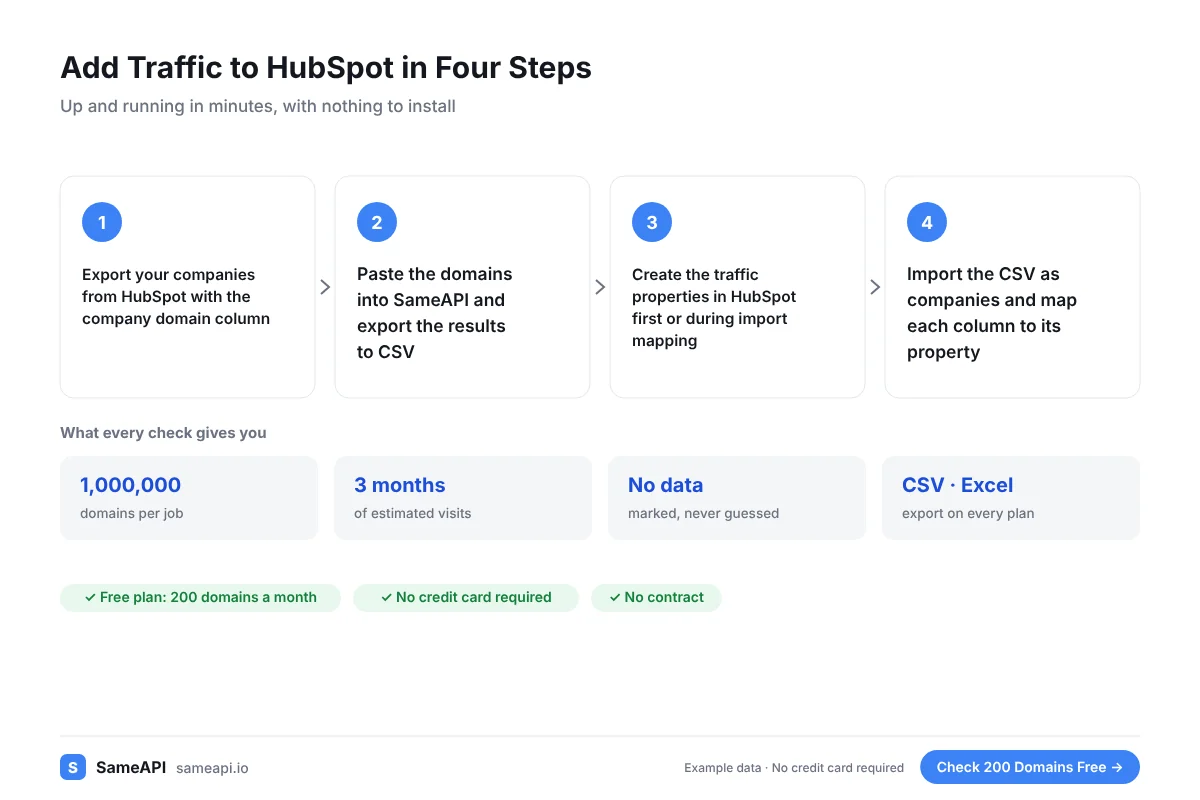
The whole process uses the dashboard and HubSpot's standard import.
- Export your companies from HubSpot with the company domain column
- Paste the domains into SameAPI and export the results to CSV
- Create the traffic properties in HubSpot first or during import mapping
- Import the CSV as companies and map each column to its property
HubSpot uses the company domain to match records. Keep that column in the file you import.
Test the import on 20 companies first. Once the mapping works, run the full list.
Built for RevOps and Sales Teams on HubSpot
- RevOps teams enriching company records
- Sales managers routing accounts by size
- Marketing teams building segments for campaigns
- Agencies that manage HubSpot for clients
- Founders who run sales from HubSpot without a data team
The free plan covers 200 companies a month. Pro covers 10,000 for $20 with no contract, enough for most CRMs.
SameAPI has no official HubSpot integration. The CSV workflow above uses features both tools already have.
Add Traffic to Your HubSpot Companies
Export your company domains, check them in SameAPI and bring the numbers back to HubSpot. Start with your top accounts today.
No credit card required.
Last updated: